

INDEPENDENT B2B SOFTWARE BUYER INTELLIGENCE
Compare Business Software.
Evaluate Fit. Choose with Confidence.
Compare B2B software by your must-have requirements, features, pricing, integrations, total cost and business fit. PMWorld360 brings together independent editorial software reviews, side-by-side vendor comparisons, original research and practical buyer decision tools to help you shortlist the right software and evaluate implementation trade-offs before you buy.
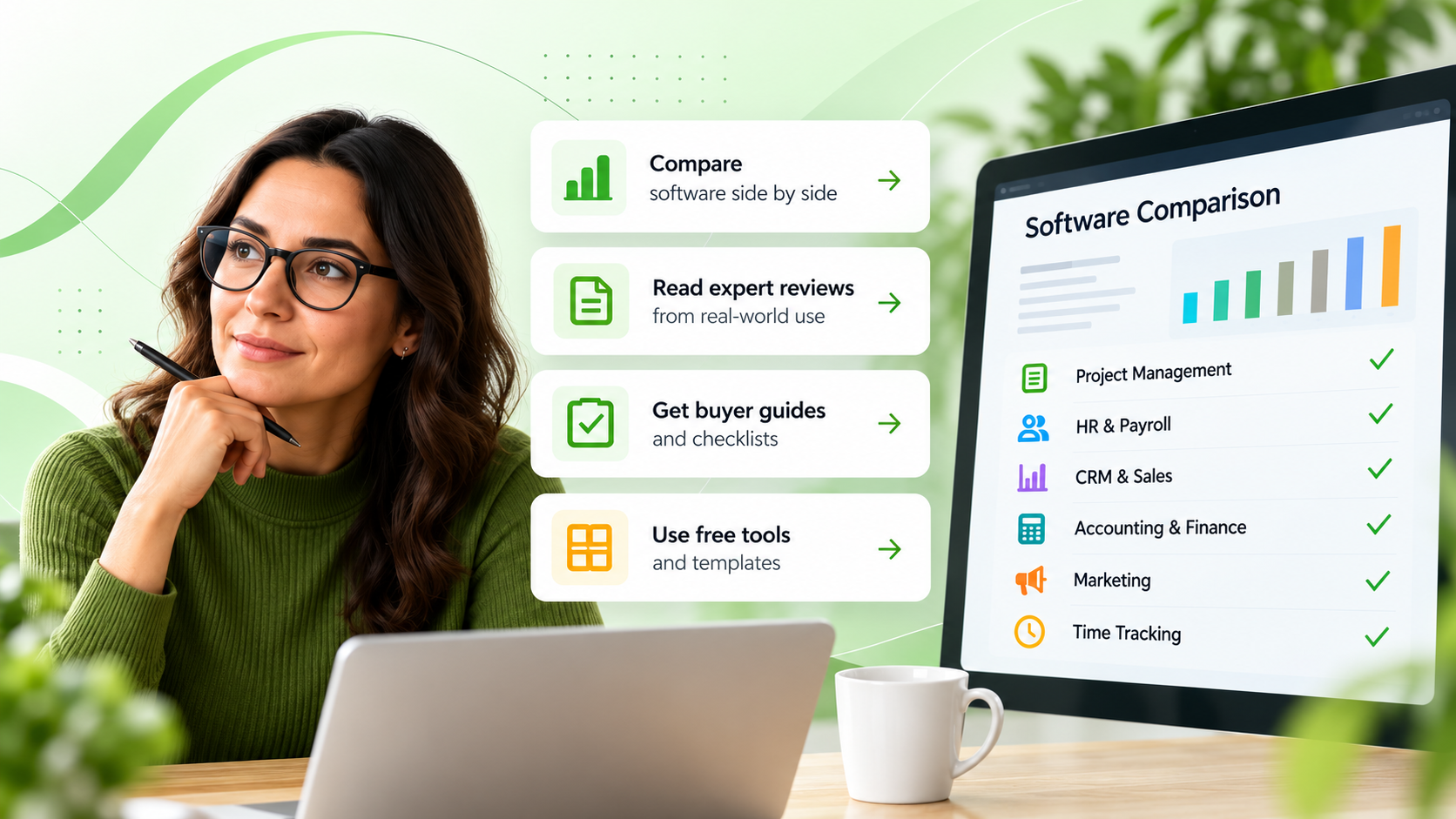
Compare capabilities • Explore pricing considerations • Evaluate business fit
Explore software by category
Explore buyer research →




Find software for your business needs
Start with the work you need to improve, then compare options matched to that outcome. These are editorial buyer guides, not personalized product recommendations.
Manage projects across multiple teams
Prioritize portfolio visibility, resource planning, governance and cross-team workflows.
Explore enterprise PM software →Pay and manage distributed employees
Compare U.S. payroll, global hiring, contractors, EOR and compliance requirements.
Explore distributed-team HR software →Improve your sales pipeline
Evaluate CRM and sales tools for lead tracking, automation and customer visibility.
Compare CRM software →Automate accounting workflows
Review AP/AR, invoice capture, approvals, integrations and bookkeeping automation.
Explore accounting automation →Compare business software with greater confidence
Start with a comparison that matches your decision. Check features, pricing assumptions, implementation fit and the editorial evidence before visiting a vendor.
PM software guides →Start with a comparison of capabilities, total-cost assumptions, integrations, implementation risks and reasons an option might not fit.
How to use these comparisons: review fit and trade-offs first. Vendor links and offers appear in the relevant articles where available, with commercial relationships disclosed. Inclusion is not a paid endorsement.
Project Management Buyer Comparison
 ClickUp
 monday.com
Read comparison →
Compare costs →
monday.com
Read comparison →
Compare costs →
ClickUp vs monday.com
ClickUpmonday.comEditorial comparison • Evaluate capabilities, costs and trade-offs
Best fit: ClickUp for deep customization and tool consolidation; monday.com for visual adoption and cross-team visibility.
Verify first: Workflow customization, automation, collaboration and portfolio reporting.
Reconsider if: A standardized approval model or quick adoption is essential but has not been proven in a pilot.
Project Management Buyer Comparison
 WrikeClickUp
Read comparison →
View scorecard →
WrikeClickUp
Read comparison →
View scorecard →
Wrike vs ClickUp
WrikeClickUpEditorial comparison • Evaluate capabilities, costs and trade-offs
Best fit: Wrike for PMO governance and resource planning; ClickUp for flexible, all-in-one workflows.
Verify first: Resource planning, PMO controls, permissions and team-level reporting.
Reconsider if: The extra governance or customization burden is not justified for your team.
HR & Payroll Buyer Comparison
 Gusto
Gusto Deel
Read comparison →
Compare 3 tools →
Deel
Read comparison →
Compare 3 tools →
Gusto vs Deel
GustoDeelEditorial comparison • Evaluate capabilities, costs and trade-offs
Best fit: Gusto for U.S.-focused payroll and HR; Deel for international hiring, EOR and global workforce needs.
Verify first: Employment countries, payroll jurisdictions, EOR needs and HR integrations.
Reconsider if: The required country coverage, employer model or payroll workflow is not confirmed.
HR & Payroll Buyer Comparison
Deel Papaya Global
Read comparison →
HR/payroll guide →
Papaya Global
Read comparison →
HR/payroll guide →
Deel vs Papaya Global
DeelPapaya GlobalEditorial comparison • Compare global payroll, EOR and compliance coverage
Best fit: Deel for global hiring breadth and contractor workflows; Papaya Global for payroll and workforce management requirements.
Verify first: Country-by-country payroll/EOR scope, compliance responsibilities and service terms.
Reconsider if: Coverage, legal responsibilities or implementation requirements remain unclear.
HR & Payroll Buyer Comparison
Deel Rippling
Read comparison →
Read review →
Rippling
Read comparison →
Read review →
Deel vs Rippling
DeelRipplingEditorial comparison • Compare payroll, HR administration and international fit
Best fit: Deel for international hiring and EOR needs; Rippling for integrated HR, IT and workforce operations.
Verify first: Global employment model, HR/IT administration and integrations with existing tools.
Reconsider if: Geography, security permissions or cross-system workflows fail a real-world test.
Accounting & Finance Buyer Comparison
 Dext
Dext QuickBooks
 Xero
Read comparison →
Automation guide →
Xero
Read comparison →
Automation guide →
Dext vs QuickBooks vs Xero
DextQuickBooksXeroEditorial comparison • Compare bookkeeping automation and accounting fit
Best fit: Dext for capture and expense automation; QuickBooks or Xero for broader accounting workflows and reporting.
Verify first: Distinguish document capture from a full accounting ledger, reconciliation and reporting.
Reconsider if: A capture/automation tool is assumed to replace core accounting without verifying scope.
Accounting & Finance Buyer Comparison
 BILL
BILL MelioQuickBooks Bill Pay
Read comparison →
Read review →
MelioQuickBooks Bill Pay
Read comparison →
Read review →
BILL vs Melio vs QuickBooks Bill Pay
BILLMelioQuickBooks Bill PayEditorial comparison • Compare AP, bill pay and payment workflow software
Best fit: BILL for AP workflow depth, Melio for payment flexibility and QuickBooks Bill Pay for tighter QuickBooks alignment.
Verify first: Approval workflows, payment methods, transaction fees, limits and accounting sync.
Reconsider if: Required payment controls or fees do not work for your AP process.
Project Management Buyer Comparison
ClickUp Notion
 Zoho Projects
Read comparison →
Build shortlist →
Zoho Projects
Read comparison →
Build shortlist →
ClickUp vs Notion vs Zoho Projects
ClickUpNotionZoho ProjectsEditorial comparison • Compare project planning, docs and all-in-one workspace fit
Best fit: ClickUp for broad workflow depth, Notion for flexible documentation and Zoho Projects for structured project tracking.
Verify first: Task dependencies, documentation, role permissions, reporting and integrations.
Reconsider if: Your required governance or reporting cannot be demonstrated in a trial.
Independent editorial guidance • Clear commercial disclosures • Compare options at your own pace
How do I choose the right business software?
Start with the business problem you need to solve and your must-have requirements. Compare software vendors by functionality, integrations, security, total cost, implementation effort and fit for your team's workflows. Shortlist the strongest options, then verify decision-critical claims against current vendor documentation before buying.
Check your requirements
Document critical workflows, integrations, data controls, team constraints and disqualifiers before a vendor demo.
Calculate total ownership cost
Look beyond subscriptions: include setup, migration, training, add-ons, administration, contract terms and growth.
Validate the evidence
Check current documentation, limitations, data security, independent analysis and what credible alternatives may be missing.
Tools marked “PM” are for project-management evaluations; use the linked category guides and vendor source documents for other software types. Verify pricing, availability and functionality directly before buying.
Comparing alternatives or software costs?
Already evaluating a product? Explore credible alternatives or estimate the full cost of ownership before moving forward.
Explore software alternatives
Find options when your current tool is too complex, expensive or no longer fits your workflows.
Plan total software costs
Include software licenses, setup, add-ons, support, migration and training in your buying decision.
Use the project management 3-year TCO calculator →What would help you decide?
Choose your next step. Each option takes you to relevant independent buyer guidance.
Find software that fits your needs
Choose a software category and evaluation goal. Open the most relevant available PMWorld360 comparison or buyer guide, then verify vendor details before deciding.
Your decision focus: comparing features
Compare must-have features, usability, permissions and the implementation effort your team can support.
Category checks to make before shortlisting
Verify required task workflows, user permissions, integrations, reporting and rollout effort.
Why these resources? Links follow the software category and evaluation goal you select. They are editorial starting points, not paid rankings or personalized recommendations. Product-specific coverage is labeled clearly; verify current vendor terms before buying.
Start with your business need, then review the linked editorial guidance before choosing a vendor. Results are navigation suggestions, not personalized recommendations.
Independent analysis. Clear trade-offs. Buyer-first decisions.
Compare against your requirements
Evaluate workflows, integrations, security needs and the total cost of ownership—not feature lists alone.
Check the supporting evidence
Review the article date, linked sources and any stated limitations; confirm pricing and capabilities directly with vendors.
Decide with the trade-offs visible
Use independent editorial analysis to narrow your shortlist. Sponsored relationships do not determine editorial conclusions.
Our editorial focus is helping business software buyers evaluate options with greater clarity. We compare relevant capabilities, business fit, pricing considerations, integrations and implementation trade-offs. Where available, we link to supporting evidence and distinguish published vendor claims from independent editorial judgment. No single product is right for every team.
Our approach: define the buyer decision, compare relevant alternatives, identify evidence and limitations, and point readers to the next useful resource. We do not present editorial analysis as verified customer ratings or claim hands-on testing unless a specific article documents it.
Independent editorial judgment
Buyer questions and editorial relevance guide coverage; commercial relationships do not determine our conclusions.
Practical expertise
Business, technology and project leadership perspectives inform our analysis.
Buyer-focused guidance
Assess requirements, total cost, integrations, support and rollout needs before requesting a demo or trial.
Commercial transparency
Affiliate and sponsored relationships are identified where applicable.
How we evaluate software: We start with the buyer's problem and must-have requirements, compare named options and trade-offs, assess pricing assumptions, integration and implementation risks, and explain when a product may not fit. Claims are checked against available evidence; we do not imply hands-on testing or verified customer ratings unless documented.
PMWorld360 provides independent editorial analysis, not a verified user-review database. We identify relevant affiliate and sponsored relationships on applicable pages. Learn about PMWorld360 →

FEATURED ORIGINAL RESEARCH
The AI-Influenced B2B Software Buyer 2026
Understand how software buying is changing
Explore PMWorld360’s research into how AI-assisted discovery is influencing B2B software evaluation. For buyers, the practical takeaway is to cross-check AI-generated shortlists against product documentation, total cost, security needs and real-world implementation constraints. For vendors, the research frames questions prospects may investigate before engaging sales; it does not establish how any particular prospect behaves. Read the full research for its scope, evidence and limitations.
Buyer decision takeaway: Treat AI-generated software recommendations as a starting point. Verify product capabilities, pricing assumptions, implementation fit and original sources before shortlisting vendors.
Explore original research →Read the full report for its methodology, cited sources, publication date and limits before applying findings to your buying decision.
For vendors: understand the buyer-research context and explore relevant partnership opportunities. Editorial conclusions remain independent of commercial relationships.
Business software buyer decision tools and guides
Start with four dedicated project-management decision tools to define requirements, shortlist vendors, calculate total cost and score alternatives. For CRM, HR, accounting, marketing and time tracking, use the category-specific decision criteria and published guides below.
Define your software requirements
Identify must-have workflows, integrations, governance needs and non-negotiable buying criteria.
Build a vendor shortlist
Narrow down to two or three plausible PM software finalists before demos.
Estimate total software cost
Model the complete three-year cost of project management software, beyond license price.
Score finalist vendors
Evaluate fit and trade-offs consistently using a weighted PM software scorecard.
Compare software by your exact business requirements
Choose the decision you're making, check the non-negotiable criteria, and open an existing PMWorld360 guide or review. These are editorial buyer pathways; standalone interactive category tools are linked only after their destination pages are published.
Which CRM fits your sales process?
Compare pipeline visibility, sales automation, forecasting, contact data quality, integrations, migration and user adoption. Avoid paying for an enterprise configuration your team won't use.
Do you need U.S. payroll or global HR?
Verify employee locations, payroll jurisdictions, EOR and contractor needs, benefits, compliance duties, onboarding, integrations and service coverage before comparing prices.
Are you replacing accounting or automating tasks?
Distinguish core ledger software from AP/AR automation. Compare invoicing, approvals, reconciliation, security, accounting sync, transaction fees and reporting requirements.
Which marketing workflows must your software support?
Check campaign journeys, lead scoring, email automation, CRM sync, deliverability, consent, analytics and pricing tied to contacts or usage. Prioritize the workflows you will actually deploy.
Do you need billable time or employee attendance?
For projects, prioritize timers, billable hours and reports. For hourly teams, verify clock-in rules, overtime, scheduling, PTO, approvals and payroll export. Global payroll is a separate decision.
Evaluating employee attendance and clock-in rules instead? Read the Buddy Punch review →
Explore the published PM buyer toolkit →
For software vendors and partners: learn about PMWorld360’s editorial standards and partnership opportunities. View partnership information →
Buyer tools and calculators are informational resources, not software rankings. Optional third-party buyer assistance may involve a disclosed referral relationship; template pricing and availability are shown on their destination pages.
Software buying questions, answered
A high-intent starting point for buyers comparing software categories, vendor options, pricing assumptions, implementation fit and commercial considerations. For deeper answers, follow the linked editorial guides and buyer tools.
How do I choose time-tracking software instead of payroll software?
For project-based and billable time, assess timers, client and project reporting, budgets and integrations; review Toggl Track →. For employee time clocks, scheduling, PTO and payroll-ready exports, review Buddy Punch →. Choose global payroll or EOR software only when those workforce requirements are part of your decision.
What should I compare before choosing CRM or marketing automation software?
For CRM, prioritize pipeline visibility, sales processes, data migration, reporting and integrations. For marketing automation, prioritize campaigns, segmentation, consent, email deliverability and CRM sync. Compare CRM decision criteria → or review marketing decision criteria →.
Does PMWorld360 publish verified customer ratings?
PMWorld360 publishes editorial software analysis, comparisons and buyer resources. It is not a large verified-user-review marketplace; use PMWorld360 to evaluate fit, trade-offs, pricing assumptions and decision criteria, then verify current vendor information directly.
Where can I compare HR and payroll platforms?
Start with workforce geography, payroll coverage, contractor support, HR administration and compliance needs. Read Gusto vs Deel → or compare Deel vs Papaya Global →.
How do I compare total software cost beyond the advertised price?
Estimate full cost over the intended term: seats, onboarding, migration, integrations, implementation help, training, support, add-ons and renewal terms. Use a cost tool or evaluation scorecard before shortlisting vendors. Open the 3-year TCO calculator →
How should I use AI when researching B2B software?
Use AI tools to organize requirements and generate questions, but verify product capabilities, pricing, security claims and source dates with original documentation. Treat AI summaries as a starting point, not a final answer. Explore PMWorld360 research →
Where can I compare project management software pricing?
Look beyond vendor list prices. Compare plan assumptions, user counts, add-ons, implementation support and likely three-year cost scenarios. Use the PM pricing comparison tool →
How do I shortlist vendors before demos?
Define must-have requirements, compare trade-offs, then narrow to the few vendors most likely to fit your workflows, budget and implementation constraints. Open the shortlist builder → and use the demo checklist →.
Where can I compare accounting automation tools?
Start with your accounting system, AP/AR workflow, document capture needs and approval process. Read Dext vs QuickBooks vs Xero → or compare BILL vs Melio vs QuickBooks Bill Pay →.
How do I evaluate implementation fit and integration risk?
Review migration requirements, admin overhead, training needs, access control, reporting needs and integrations with your current stack. Use the evaluation guide →
What is the difference between a software review, comparison and buyer guide?
A review focuses on one product, a comparison evaluates trade-offs between products, and a buyer guide helps define the right category, criteria or shortlist for your use case. Use the content type that best matches your decision stage.
How are commercial relationships handled?
PMWorld360 may include affiliate or sponsored commercial relationships, but those relationships are disclosed where relevant. Editorial conclusions are independent of commercial considerations. View partnership information →
Latest posts from PMWorld360
Fresh software intelligence, comparisons, AI and project insights. Browse recent PMWorld360 articles using the arrows, or swipe on mobile.
Why AI-Agent Developers Are Turning to Signal House for SMS and Voice
Sponsored editorial coverage of AI-agent voice and messaging technology.
Read sponsored feature →ActiveCampaign Wavelength: What It Means for Marketers
Explore a marketing-automation development and what it means for teams.
Explore marketing AI insights →AI Hiring in 2026: Recruiting, Screening & Compliance
Consider AI-driven recruiting and the decisions HR leaders need to assess.
Explore AI hiring guidance →BILL vs Melio vs QuickBooks Bill Pay: 2026 Comparison
Compare invoice payment workflows, automation and accounting needs.
Compare bill-pay tools →Recent published PMWorld360 articles.
PMWORLD360 INTELLIGENCE · LINKEDIN NEWSLETTER
Stay informed with PMWorld360 on LinkedIn
Get B2B software buyer intelligence, original research, software comparisons and practical decision insights in your LinkedIn feed.