

ClickUp Review 2026: Why Thousands of Teams Are Switching — 15 Powerful Ways It Transforms Project Management

ClickUp has become one of the most talked-about project management platforms — but is it truly worth switching in 2026? This expert review breaks down what ClickUp does exceptionally well, where it falls short, who it’s best suited for, and how to configure it to maximize ROI.
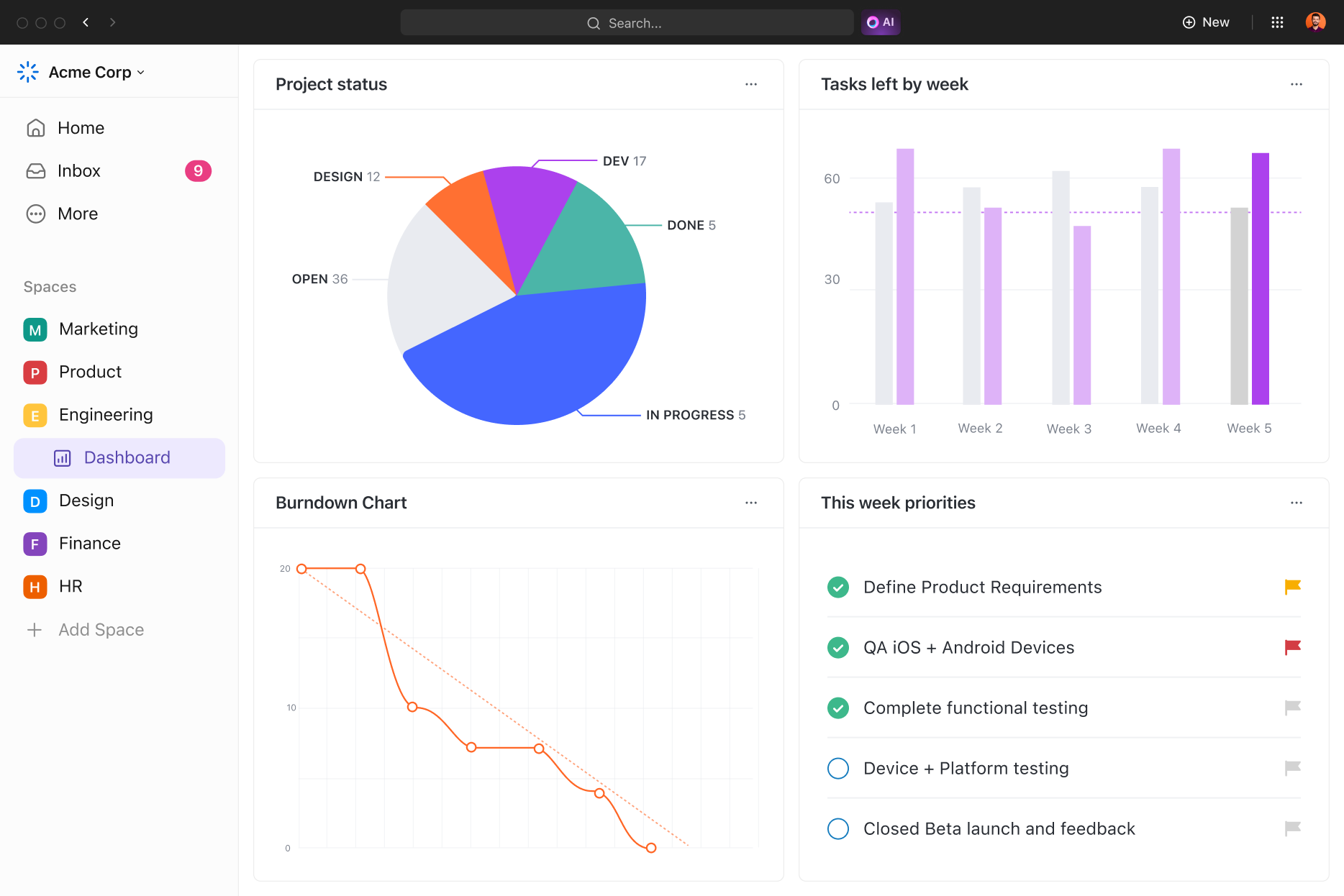
ClickUp dashboard screenshot Start Free Trial →
Editorial & Affiliate Disclosure: PMWorld360 is reader-supported. Some vendors may compensate us through affiliate partnerships—at no cost to you. Our reviews remain independent and based on functionality, pricing, usability, support, and value.

Modern project teams struggle with scattered tools, remote collaboration challenges, and fragmented workflows. ClickUp proposes a unified solution — a complete work operating system designed to bring tasks, communication, documentation, and workflows into one platform.

Here’s what this review covers:

  • What ClickUp does uniquely well
  • Strengths & limitations from a PM perspective
  • 15 powerful workflow transformations
  • Who ClickUp is best for (and who should avoid it)
  • Best-practice setup guidance
  • Expert verdict for 2026

ClickUp Pros & Cons

Pros

  • Highly flexible and customizable for any workflow
  • Replaces multiple tools (tasks, docs, whiteboards, dashboards)
  • Strong automation & AI features
  • Excellent for multi-team collaboration
  • Great templates for recurring processes

Cons

  • Steep learning curve for new users
  • Can feel heavy for very small/simple teams
  • Requires ongoing workspace organization
  • Not built for accounting/invoicing tasks

ClickUp vs Monday.com vs Asana vs Notion

Before choosing a platform, it’s helpful to compare ClickUp against other leading project management solutions. Here’s how it stacks up in functionality, flexibility, and value.

Feature ClickUp Monday.com Asana Notion
Project & Task Management ✔ Advanced ✔ Strong ✔ Strong ➖ Basic
Docs & Knowledge Base ✔ Integrated Docs ➖ Limited ➖ Limited ✔ Excellent
Automation ✔ Advanced & scalable ✔ Good ➖ Limited ➖ Minimal
AI Features ✔ ClickUp Brain included ➖ Developing ➖ Light ➖ Add-on only
Customization ✔ Very high ✔ Moderate ➖ Limited ➖ Moderate
Best For Growing & scaling teams Visual teams & small businesses Simple task management Documentation-heavy teams

What Is ClickUp, Exactly?

ClickUp is a modern work management platform that consolidates tasks, projects, documentation, chat, dashboards, reporting, whiteboards, and AI-powered workflows in a single system.

It commonly replaces multiple tools, including:

  • Project/task tools (Trello, Asana)
  • Documentation tools (Notion, Google Docs)
  • Messaging threads (Slack comments)
  • Time trackers
  • Reporting dashboards

ClickUp’s Core Strengths in 2026

1. Unified Workspace for Projects, Docs & Communication

  • Project briefs & SOPs connect directly with tasks
  • Docs reduce reliance on external apps
  • Comments stay attached to work items

2. Flexible Views for Every Work Style

  • 📋 List — for operational work
  • 🧱 Board — for agile teams
  • 📅 Calendar — for planning cycles
  • 🕰 Gantt & Timeline — for schedules
  • 📊 Workload — for true capacity insights

3. Customization for Complex Workflows

  • Custom fields & statuses
  • Role-driven filtering & views
  • Executive dashboards

4. Docs, Whiteboards & Knowledge Management

  • Create SOPs & workflows
  • Diagram processes interactively
  • Attach docs to tasks

5. Time Tracking & Reporting

  • Track estimates vs. actuals
  • Spot bottlenecks
  • Improve forecasting

6. Automations

  • Assign tasks automatically
  • Trigger reminders
  • Move work based on rules

7. AI Features (ClickUp Brain)

  • Instant summaries
  • Content refinement
  • Predictive task suggestions

Where ClickUp Falls Short (And How to Mitigate It)

  • Steep learning curve — start simple
  • Not designed for invoicing — use accounting tools
  • May feel heavy for lightweight teams
  • Requires workspace hygiene — regular archiving

ClickUp Pricing in 2026: Which Plan Should You Choose?

  • Free — core tasks & docs for individuals and very small teams.
  • Unlimited — unlimited storage, advanced dashboards, and workload tools for growing teams.
  • Business — advanced automations, permissions, and reporting for more complex organizations.
  • Business Plus — custom roles, more automations, and priority support for scaling teams.
  • Enterprise — advanced security, custom controls, and dedicated success management.

Who ClickUp Is Ideal For

  • Agencies & consultancies
  • Remote & hybrid teams
  • Teams running recurring workflows
  • Organizations combining docs + tasks
  • Scaling teams needing customization

Who Should Consider Alternatives

  • Teams wanting ultra-simple tools
  • Teams resistant to adopting new systems
  • Companies requiring deep financial automation
  • Users preferring minimalist interfaces

15 Powerful Ways ClickUp Transforms Project Management

  • Eliminates tool sprawl
  • Standardizes workflows
  • Improves visibility
  • Reduces context switching
  • Enhances prioritization
  • Supports capacity planning
  • Boosts accountability
  • Simplifies onboarding
  • Reduces missed deadlines
  • Accelerates recurring work
  • Strengthens cross-functional collaboration
  • Improves reporting
  • Supports continuous improvement
  • Works for agile, waterfall & hybrid teams
  • Builds lasting organizational knowledge

How to Set Up ClickUp for Success

  • Define a simple workspace structure
  • Standardize naming conventions
  • Start with essential custom fields only
  • Use templates for repeatable work
  • Enable time tracking early
  • Add automations gradually
  • Create a “How We Use ClickUp” guide

Common Mistakes Teams Make

  • Creating too many Spaces
  • Adding too many custom fields early
  • Over-automating too soon
  • Using inconsistent status pipelines
  • Not using templates
  • Ignoring workspace cleanup
  • Not defining internal standards

Expert Verdict: Is ClickUp Worth It in 2026?

  • One of the most flexible PM platforms available
  • Exceptional for multi-team collaboration
  • Strong automation & reporting capabilities
  • Requires thoughtful setup for best results

Overall Rating: 9.6 / 10

ClickUp Decision Checklist

Check all that apply:

  • We manage multiple projects or clients.
  • We want tasks, docs & communication unified.
  • We use recurring workflows.
  • We need workload visibility.
  • We rely on accountability & time tracking.
  • We need a scalable platform.

If four or more boxes are checked, ClickUp is a strong match.

Frequently Asked Questions

  • Is ClickUp really free? — Yes, unlimited tasks, docs, and whiteboards on the Free plan.
  • Is ClickUp ideal for agencies? — Absolutely. Templates, dashboards, and roles make it a great fit.
  • Can ClickUp replace Trello, Asana & time trackers? — In many cases, yes, especially for teams needing more structure.
ClickUp Logo

Ready to See if ClickUp Can Transform Your Project Management?

If your team manages multiple projects, workflows, or clients, ClickUp is absolutely worth testing. Start simple, use templates, and expand your workspace structure as you grow.

Stay Updated on IT Project Management Trends

Get insights, trends, and expert guidance delivered straight to your inbox. Stay ahead of evolving technologies and project management best practices.

Find Out More..
Compare Software Faster View Top Picks →
Index