How MRPeasy Manufacturing Resource Planning Software Can Streamline Your Manufacturing Process
A practical guide to manufacturing resource planning, inventory management, production planning, workflow automation, implementation, and MRPeasy pricing.
Explore MRPeasyIf you're running a manufacturing business, the hard part isn't simply knowing what needs to be made. It's knowing whether you have the materials, people, and time to make it when promised. MRPeasy brings purchasing, inventory, and production planning into one workflow. In this guide, PMWorld360 looks at where that approach can help, what to test in a demonstration, and what to verify before you commit.
Understanding the manufacturing process
A manufacturing plan only works when purchasing, inventory, and production are using the same assumptions. If a component is late or a bill of materials is out of date, a schedule that looked realistic on Monday can become unworkable by Wednesday. That is the operational problem worth solving—not simply replacing spreadsheets with another screen.
Before comparing software, identify where decisions stall today. Can the team see available material, committed orders, realistic lead times, and capacity in one place? Record how often planners have to call another department or correct a spreadsheet to answer those questions.
Manufacturing resource planning (MRP) software can connect material requirements with purchasing and production schedules. The value depends on whether the information is accurate and whether people use it to make better decisions. Our advice: define the decisions the system must support before reviewing a vendor's feature list.
The limitations of traditional manufacturing methods
Spreadsheets can be perfectly workable for a small operation. The warning sign is when several people maintain different versions of stock, orders, and production dates. At that point, a change in one area may not reach the others quickly enough.
Lack of real-time visibility and data integration
When stock records, purchase orders, and production schedules are maintained separately, a planner may not discover a shortage until work is due to begin. Ask your team where that information is recorded today and how quickly a change reaches the production schedule.
Coordinating various departments and functions
Purchasing may know a supplier has delayed a shipment while production is still planning around the original arrival date. The problem is not simply communication; it is whether the same change is reflected in both teams' working plans.
Reliance on manual calculations and data entry
Manual calculations are not inherently unreliable, but repeated re-entry creates more opportunities for inconsistencies. Before buying software, measure how often the team corrects stock balances, reschedules work, or reconciles conflicting records. Those are more useful benchmarks than a generic productivity promise.
Manufacturing & Inventory Alternative: Fishbowl
Once spreadsheets stop keeping up, the next question for small and midsize manufacturers is usually narrower than which MRP to pick. It is where the numbers actually live. For teams already running QuickBooks or Xero, the accounting system is often the financial source of truth, and any manufacturing platform has to feed it cleanly instead of forcing a parallel ledger.
Fishbowl is built for that specific setup. It is an inventory and manufacturing platform that gives QuickBooks and Xero users real-time control across stock, work orders, and fulfillment, with the manufacturing depth to handle bills of materials (BOMs), manufacturing orders (MOs), and work orders (WOs) rather than inventory alone. That covers the ground the article describes without pulling teams into a full enterprise resource planning (ERP) project.
The accounting integration is an important part of that setup. Fishbowl acts as the operational system of record for inventory and manufacturing activity and syncs the related financial data into QuickBooks or Xero, supporting cost of goods sold (COGS) and landed-cost allocation. This can reduce reconciliation work and support a faster monthly close. Operations and finance can therefore work from more closely aligned numbers, which can improve visibility across the business.
For a shop moving off spreadsheets, that alignment can matter as much as any single feature. Keeping inventory counts, production status, and the related general-ledger activity connected can reduce the risk of those records drifting apart as the business grows.
What is MRPeasy?
MRPeasy is manufacturing resource planning software aimed at smaller manufacturers that need to connect bills of materials, purchasing, inventory, and production planning. It can be a sensible option to investigate when those activities are being managed in disconnected tools. It is not an automatic fix for inaccurate stock records, unrealistic lead times, or poorly defined production processes. We would judge it by how well it handles a real order and a real disruption in your shop.
How MRPeasy's MRP software can streamline manufacturing processes
For a smaller manufacturer, an MRP system should answer practical questions: What can we build with the materials on hand? What needs to be ordered? Which jobs are at risk of slipping? MRPeasy connects several of those decisions in one system. That is useful only if its bills of materials, lead times, and production rules reflect the way your shop actually operates.
Real-time visibility and data integration
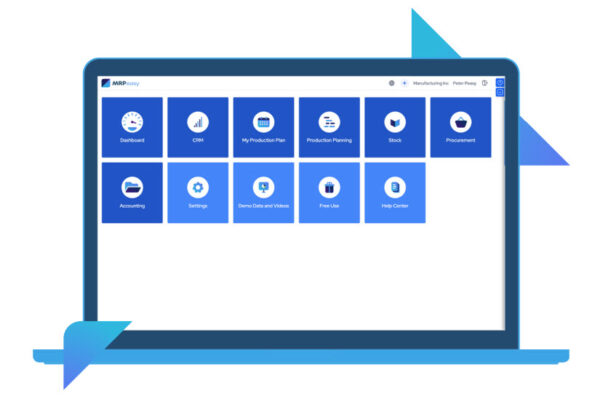
A shared view of materials, orders, and production activity can help teams spot conflicts earlier—but only when records are kept current. In a demonstration, change a supplier delivery date and check whether the consequences are visible to purchasing and the production planner. Ask who updates the data and how mistakes are corrected.
Automation of various workflows
Automation is useful when it removes repeatable handoffs, not when it hides decisions that people still need to make. Walk through a purchase requirement, a revised production order, and a stock adjustment. Note which steps the system handles and where staff must intervene; those gaps determine the real workload after rollout.
Key features and benefits of MRPeasy's MRP software
The feature list matters less than how the system behaves when a supplier is late or a production order changes. These are the areas we would examine in a demonstration.
Workflow visibility and usability
A shared dashboard is valuable only when planners and shop-floor staff can see what changed and what action is needed without reconciling separate records. Ask MRPeasy to demonstrate how a delayed material receipt affects a production order, who sees the alert, and how the team updates the plan. Have a scheduler and an inventory user test the steps themselves. For broader guidance on what makes a useful status view, see PMWorld360’s guide to dashboards and status information.
Inventory management
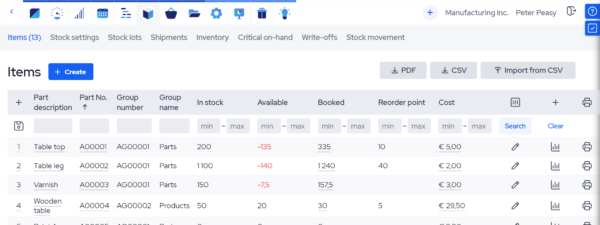
Inventory features deserve scrutiny because inaccurate stock records can undermine an otherwise good production plan. Ask how MRPeasy records receipts, reservations, adjustments, and shortages. Then compare what the system reports with a physical count for a small sample of materials. Better inventory decisions depend on that match—not on the presence of a dashboard.
Production planning and scheduling
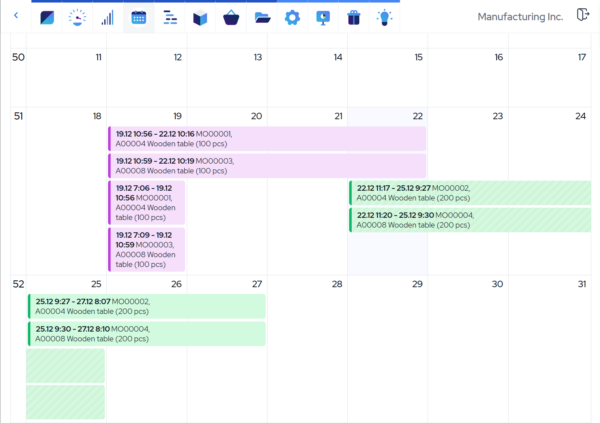
Production planning is worth testing with a realistic job, not a perfect demo scenario. Enter a bill of materials, adjust a supplier delivery date, and see whether the revised schedule is understandable to the people who must execute it. The outcome depends on accurate inputs and how the shop uses the plan.
How to evaluate MRPeasy for your manufacturing operation
MRPeasy may be worth evaluating when a manufacturer needs to connect material requirements, inventory availability, purchasing, and production scheduling. Results will depend on the starting process, data quality, configuration, and how consistently the team uses the system. Rather than relying on unsourced customer performance percentages, assess the fit against measurable operating needs.
Inventory and purchasing fit
Map how raw materials, reorder points, supplier lead times, and stock movements are currently tracked. During a product demonstration, ask how MRPeasy handles the exceptions your team encounters most often, such as shortages, substitutions, and late deliveries.
Measure: Inventory accuracy, stockout frequency, inventory carrying costs, and purchasing time using your own before-and-after baseline.
Production planning and delivery fit
Test a representative bill of materials and production order, including a schedule change or material delay. Confirm whether the planning workflow reflects your actual equipment, staffing, lead times, and shop-floor processes.
Measure: Schedule adherence, production throughput, on-time delivery, and lead times using consistent definitions and comparable periods.
Evidence note: PMWorld360 has not independently verified customer-specific performance results for the scenarios above. These are evaluation criteria, not published MRPeasy customer case studies or promised improvements. Request documented references or case studies directly from the vendor when comparing solutions.
Implementing MRPeasy: Steps to integrate the software into your manufacturing operations
Implementation is work, even when the software is designed for smaller teams. Data cleanup, workflow decisions, and staff adoption deserve time in the plan. Here are practical steps to plan and evaluate an implementation:
- Assess your current manufacturing process: Choose one representative product and trace its bill of materials, stock records, supplier lead times, production order, and promised delivery date. Document where staff re-enter data, correct shortages, or override schedules. Use those specific exceptions as acceptance tests during the MRPeasy trial.
- Customize the software to your requirements: Map the workflows you actually use, including exceptions. Confirm configuration options and integration scope with MRPeasy before promising your team that a particular process will be supported.
- Migrate your data: Before migrating, confirm which import tools, documentation, and vendor assistance are available and what your own team must handle. Validate bills of materials, inventory balances, supplier records, and open orders in a test environment before switching to the new system.
- Train your team: Provide comprehensive training to your employees on how to use MRPeasy's MRP software effectively. Give schedulers, purchasing staff, and shop-floor users time to test their real tasks before rollout.
- Monitor and optimize: Establish a baseline for inventory accuracy, schedule adherence, and on-time delivery before rollout. Review the same measures after implementation using comparable periods, and investigate exceptions with the people doing the work. Do not attribute an improvement to the software without checking for changes in order volume, staffing, or suppliers.
Training and support options for using MRPeasy effectively
Training should be part of the buying decision, not an afterthought. A system can look straightforward in a demo and still be difficult to adopt across purchasing, planning, and the shop floor. Confirm what learning resources and direct assistance are actually included in the plan you are considering.
Comprehensive online documentation and user guides
Ask the vendor to show the documentation for three tasks your team performs regularly: updating a bill of materials, correcting inventory, and rescheduling a production order. Have the people who will do that work try the instructions themselves. That reveals whether the guidance is usable without constant outside help.
Live training sessions and webinars
Do not assume that live training or webinars are included in every subscription. Ask which training formats are currently offered, whether they cost extra, and whether sessions cover your particular production workflow. Assign an internal owner for questions that arise after go-live.
Dedicated customer service team
For ongoing support, MRPeasy describes ticket-based support for paid accounts, with additional paid support options. Before choosing a plan, ask about response expectations, onboarding assistance, and who will own implementation internally.
Affiliate disclosure: PMWorld360 may earn a commission if you use our MRPeasy referral link. Our editorial assessment is independent of any commission. Confirm current prices and trial terms with MRPeasy.
MRPeasy pricing: What manufacturers should compare
MRPeasy publicly lists four plans. As checked on October 17, 2026, its monthly US-dollar starting prices were Starter at $49, Professional at $69, Enterprise at $99, and Unlimited at $149 per user per month. Unlimited requires at least two users. The company offers annual billing at a discount, and pricing changes with user count. Check the official pricing and feature comparison before budgeting. These are vendor-published prices, not a PMWorld360 quote.
Starter — $49/user/month
Start here if your priority is core materials, inventory, BOM, and production planning. Test whether the included capabilities cover your actual workflow.
Professional — $69/user/month
Consider this tier when you need features such as quality control, serial numbers, subcontracting, or product configuration. Confirm which features matter before paying for a higher tier.
Enterprise — $99/user/month
Evaluate this plan for requirements such as approvals, barcode scanning, backward scheduling, or multiple production sites. Ask the vendor to demonstrate the exact workflow.
Unlimited — $149/user/month
Includes additional API/webhook capabilities and higher limits, with a two-user minimum. Verify integration requirements and total seat cost before choosing it.
PMWorld360 buyer check: Compare the full annual cost, number of users, training or implementation assistance, and any integrations you need—not just the headline per-user price. MRPeasy advertises a free trial; confirm the current terms on its website. Source: MRPeasy official pricing and support details.
The future of manufacturing with MRPeasy's MRP software
MRPeasy is worth a closer look if your manufacturing team needs better coordination between materials, purchasing, and production scheduling. But software alone will not correct inaccurate inventory data, unrealistic lead times, or a workflow nobody follows. Those are implementation questions, not just feature questions.
Our recommendation is to test one real product, one realistic production order, and one disruption—such as a delayed component—during the trial. If the resulting plan is understandable and useful to purchasing, production, and management, that is stronger evidence of fit than a long feature checklist.
Before committing, confirm the plan tier, support requirements, integrations, and total cost. If your biggest problem is accounting-connected inventory rather than detailed MRP scheduling, compare alternatives against that narrower need.